

The shoot is done, the card is full, or you're about to travel and the 3-2-1 backup rule is hard to keep up on the road. Data is valuable and irreplaceable, so before you trust a less familiar brand, you want to know how it stacks up against established names like LaCie and WD. This guide compares Switss with both brands on speed, warranty and price, then shows which Switss enclosure fits your workflow. For the full depth on each topic, every section links through to the dedicated article.
What should an external SSD for photography offer?
Before comparing brands, it helps to know what you're actually looking at. Four factors determine whether an external SSD is suitable for photo and video work:
- Speed: not just the connection (bandwidth), but above all what you actually transfer with it in practice (throughput).
- Reliability and warranty: with irreplaceable files, the warranty term carries more weight than it would for a random accessory.
- Capacity: RAW archives and video projects grow fast; plan for more than your current card holds.
- Form factor: a ready-to-use portable SSD (LaCie, WD) is a different thing from an empty M.2 enclosure you fit your own SSD into (Switss); that difference directly affects how you should read the prices below.
These are general purchase criteria, not a product-specific claim. The concrete figures follow below per product.
Switss compared with LaCie and WD
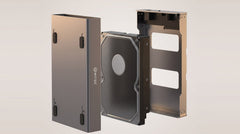
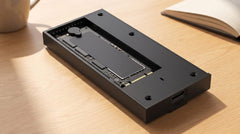
First, the most important difference, because it shapes how you should read the rest of this section: Switss sells the enclosure, not the SSD. You fit your own M.2 NVMe or SATA SSD (left over from an upgrade, or bought separately for the capacity you need). LaCie and WD sell a ready-to-use portable SSD: drive and enclosure are one unit, ready to use straight away. That makes the prices below not a pure "who's cheaper" comparison, but still a fair one: do you want flexibility and reusability, or do you want to buy one thing and be done.
Speed and connection
The names below (USB4, Thunderbolt 4, Gbps, USB 3.2 Gen 2) are the name and bandwidth of the connection itself. Further down, in "Speed decoded: Gbps versus MB/s", you'll read what that means in practice for the speed at which you transfer files.
| Switss M.2 USB4/TB4 | Switss RAID Dual-Bay | LaCie Rugged SSD | WD My Passport SSD | |
|---|---|---|---|---|
| SSD included | No, own M.2 SSD | No, own 2× M.2 SSD | Yes | Yes |
| Connection | USB4 / Thunderbolt 4, 40 Gbps (also works on regular USB-C, at a lower speed) | USB-C 3.2 Gen 2, 20 Gbps | USB 3.1 Gen 2 / USB-C | USB-C, USB 3.2 Gen 2 |
| Top speed | up to 3000 MB/s with a fast NVMe SSD | not specified separately: depends on your SSDs and the chosen RAID mode | up to 1050 MB/s | 1050 MB/s read / 1000 MB/s write |
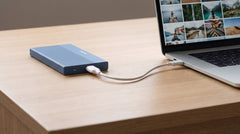
With a fast NVMe SSD, the Switss USB4/TB4 enclosure reaches up to 3000 MB/s. That means a 30 GB video project lands on your drive in under ten seconds. On a regular USB-C port without USB4 or Thunderbolt, that falls back to the level of that port, around 1000 MB/s on USB 3.2 Gen 2 (10 Gbps). LaCie's Rugged SSD and WD's My Passport SSD, with their standard USB-C connection, sit at the same level (1000-1050 MB/s) as a regular USB-C 3.2 Gen 2 enclosure. The difference with Switss only appears once you deliberately choose the USB4/TB4 step up.
Price, capacity and warranty
The Switss USB4/TB4 enclosure costs €69,99 (up to 8 TB, own SSD), the RAID Dual-Bay €99,99 (up to 2× 8 TB with external power supply, own SSDs). Both come with a 2-year manufacturer's warranty and a 30-day return policy, with Dutch customer service.
WD's My Passport SSD (1 TB, complete with SSD) costs €149,99 and comes with a 5-year manufacturer's warranty. For the comparable, non-professional LaCie Rugged SSD, no single Dutch retail price could be established as of the check date (see note at the bottom); on this line, LaCie does offer a standard 5-year limited warranty including Rescue Data Recovery Services (data recovery service). Both established brands therefore offer a longer warranty term than Switss. That's a fair point to weigh in. Set against that, with Switss you choose which SSD (brand, capacity, NVMe or SATA) goes in, and the entry price for anyone who already has a suitable SSD is considerably lower.
One SSD, two SSDs, or maximum speed: which Switss enclosure fits your workflow?
Within the Switss range itself there's a menu of choices, depending on what you need:
- M.2 SSD enclosure with heatsink (€18,99): entry-level option for anyone with a single M.2 SSD looking for fast, affordable storage without extras. USB-C 3.2 Gen 2 connection (10 Gbps), up to 1050 MB/s, up to 2 TB.
- M.2 USB4/TB4 enclosure (€69,99): for anyone working on a computer with a USB4 or Thunderbolt port who wants to get the full speed of a fast NVMe SSD externally: up to 3000 MB/s, up to 8 TB.
- RAID Dual-Bay (€99,99): for anyone who wants to combine two SSDs: automatic mirroring for backup (RAID 1), combined capacity and speed (RAID 0), or simply two separate drives in one enclosure. Up to 2× 8 TB with external power supply.
Want to see all three variants with specs and price side by side in one table? The guide "Buying an M.2 SSD enclosure: complete buying guide, which one fits your drive and use?" (once published) lines them up. Torn between speed and dual backup? "Buying a RAID enclosure: why two M.2 SSDs are smarter than one" (once published) goes deeper into the RAID modes, and "USB4 SSD enclosure: get the full speed out of your NVMe drive, externally too" (once published) explains when the step up to 40 Gbps is worth it.
From full card to backup: the workflow during and after the shoot
Card full during the shoot? Read it out via a USB-C hub with card reader and copy straight to your M.2, USB4 or RAID enclosure. No extra step needed. How to connect and read SD and microSD cards is covered in detail in Reading SD and microSD Cards via a USB-C Hub (for Photographers and Video Creators).
On the road, the RAID Dual-Bay is an option for automatic mirroring without software: every file is written to both SSDs at the same time, set with a switch on the enclosure itself. The difference between mirroring (RAID 1) and the faster, non-mirrored RAID 0 mode is explained in RAID 0 vs RAID 1 Explained: Speed or Safety?. The full setup steps for automatic mirroring will be covered, once published, in "Automatically mirroring two SSDs: how to create a backup without software".
Speed decoded: Gbps versus MB/s
Two numbers you'll run into in every comparison, and they don't mean the same thing: Gbps (gigabit per second) is the bandwidth of the connection, MB/s (megabyte per second) is the speed at which you actually transfer files. For Switss, that translates to 40 Gbps on the USB4/TB4 enclosure (up to 3000 MB/s with a fast NVMe SSD) and 20 Gbps on the RAID Dual-Bay. Want the full comparison between USB 3.2, USB4 and Thunderbolt 4? That's covered in Thunderbolt 4 vs USB4 vs USB 3.2: Speeds Compared. Don't yet know the difference between NVMe and SATA M.2 SSDs? NVMe vs SATA M.2 SSD: what's the difference (and what do you need)? explains it.
Warranty and data loss: what if something goes wrong during a shoot?
All Switss storage products (M.2, USB4/TB4 and RAID Dual-Bay) come with a 2-year manufacturer's warranty, a 30-day return policy and Dutch customer service. That's shorter than the 5 years LaCie and WD offer as standard (see above), and that difference deserves to be stated honestly. What a warranty claim for data loss actually involves, and what that process looks like, is covered in a separate guide once it's published: "What if your external SSD fails during a shoot? Switss warranty and data loss explained."
Frequently asked questions
What's the best external SSD for photos: Switss, LaCie or WD?
That depends on what you're looking for. If you want one ready-to-use device with the longest warranty term (5 years), LaCie and WD are the established choices. If you already have an M.2 SSD lying around, want to choose the capacity and brand yourself, or are after the highest speed via USB4/Thunderbolt 4 at a lower entry price, Switss is the more logical option. There's no single "winner": the comparison above lays out the concrete figures side by side so you can weigh it up for your own workflow.
How many MB/s do I need for RAW photos and video files?
For RAW photos and most video workflows, 1000-1050 MB/s (achievable on a regular USB-C 3.2 Gen 2 enclosure with an NVMe SSD) is more than enough. If you work with large 4K/8K video files and your computer has a USB4 or Thunderbolt port, the Switss USB4/TB4 enclosure gets you up to 3000 MB/s with a fast NVMe SSD.
What happens to my photos if my external SSD fails during a shoot?
That depends on the defect and on whether your files were already duplicated (for example via the RAID Dual-Bay in mirror mode). The warranty covers a defective enclosure or SSD, not data recovery on its own. A more detailed answer (including what is and isn't covered) will follow once the separate warranty/data loss guide is published.
Is a less familiar brand like Switss just as reliable as LaCie or WD?
Switss offers a 2-year manufacturer's warranty and a 30-day return policy on all storage products, with Dutch customer service, shorter than the 5 years from LaCie and WD, but still a concrete, verifiable trust signal. Beyond that, reliability mostly comes down to trying it for yourself; we don't claim a brand reputation we can't back up.
Do I need one SSD or two (RAID) for my photo workflow?
For most photographers, one fast SSD (M.2 or USB4/TB4) is enough as a working drive. If you want an automatic second copy on the road or during a shoot without having to think about it, the RAID Dual-Bay in mirror mode is the more direct match for the 3-2-1 backup rule.
Does the USB4 enclosure also work without a USB4 port on my laptop?
Yes. The enclosure works fine on a regular USB-C port, but then the speed falls back to the level of that port, around 1000 MB/s on USB 3.2 Gen 2 (10 Gbps), lower on USB 3.2 Gen 1 (5 Gbps).
Next step
Want to use the full speed of your NVMe SSD externally? Check the specifications and current price on the product page: Switss M.2 SSD Enclosure USB4/Thunderbolt 4, 40 Gbps. Prefer automatic backup or extra capacity with two SSDs? Take a look at the Switss RAID Dual-Bay M.2 SSD Enclosure.